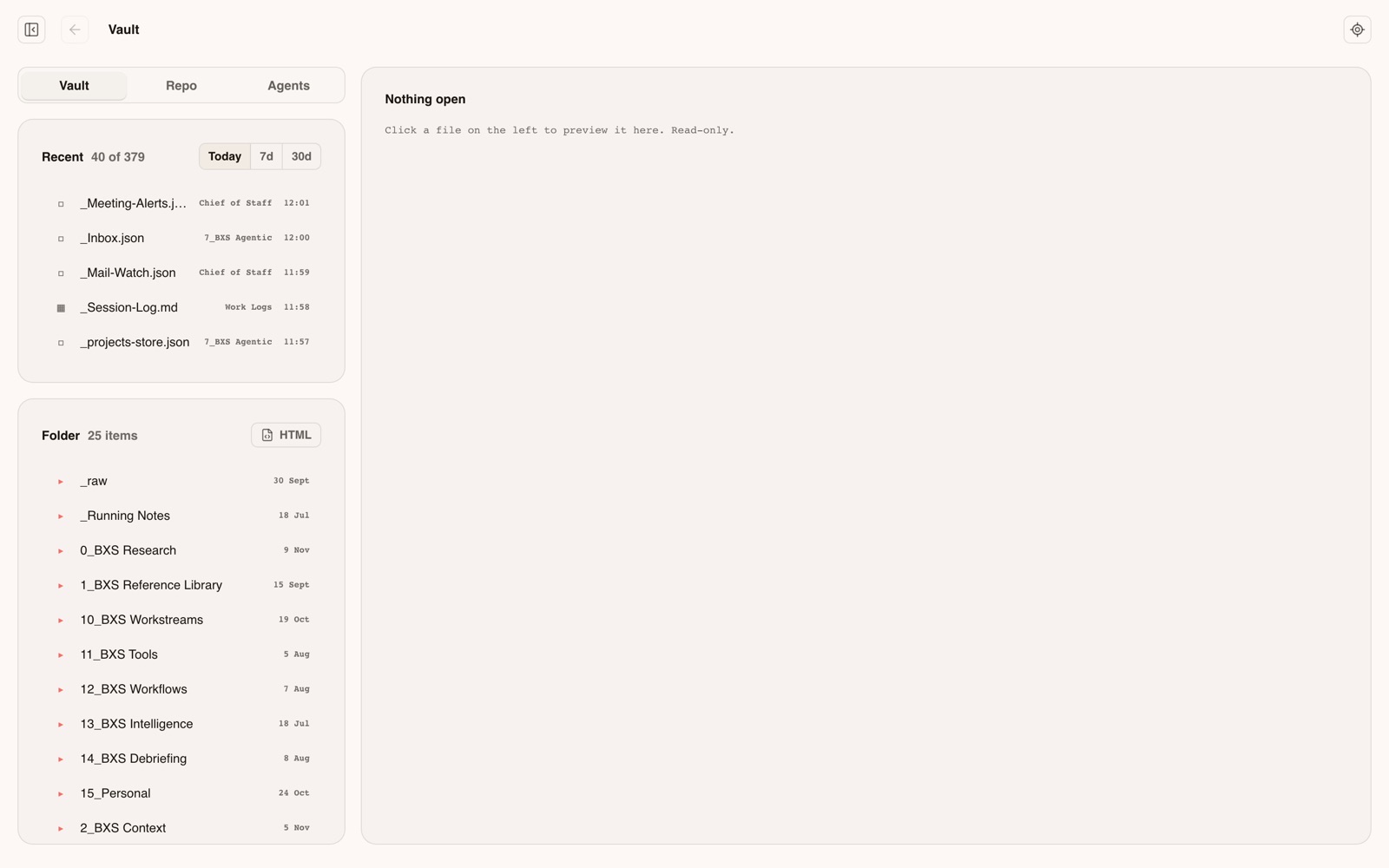
A dashboard for running the studio from one place. A small server on the Mac reads and writes the notes vault and the connected services, and starts and watches the agents' work. The vault stays the source of truth; the dashboard is a live view and control surface over it.
Draft for OtoWhat the app does, written in third person from its own docs, for Oto to rewrite. His reasons are the dashed slots.
[screen: the dashboard shell in one of its themes. Every page canvas holds live client work and money, so it needs a demo set or a staged view]
[Oto: why he built the dashboard, and how a day with it runs]
How it works
7 parts
01
The shell
One page holds the header, the left navigation, a right rail, the chat and the settings, and swaps only the page in the middle. Because the outer page never reloads, the chat and any running agent job carry on while moving between pages. Any page can also open on its own with nothing around it. It comes in several themes, plus a custom one with an accent colour and a wallpaper.
[screen: the shell around an empty page, in two themes]
02
Home and Approvals
Home is the default page and leads with the approvals queue: the one place anything that needs Oto's yes waits. A card is an email, a post, a decision or a note. Each can be approved, rejected with a reason, edited first, or retried if it failed, and each has a thread typed back into the session of the agent that asked. Nothing happens until the decision is written down.
[screen: Approvals with sample cards. Live cards show recipients and drafts to clients]
03
Command Center
Every running agent session on the Mac, grouped into Clients, Internal and Personal, each with a dot for working, waiting, quiet or no agent. Picking one shows its conversation or its live terminal, with a composer, attachments and a row of terminal keys. The Command phone app is this page in a phone skin.
[screen: the Command Center with a staged session list]
04
Projects
Briefs for every project, in Studio, Internal and Personal tabs, with a detail view, a timeline that zooms from detail to months, weeks and days, and a calendar of days that agents log finished work into. A project can carry a pack: a small browsable site of its plan, documents and sketches.
[screen: Projects. Every brief is named for its client; needs a demo set]
05
Vault Reader
Reads the vault, the dashboard's own code and the agents' reports, which appear as a grid of live miniatures. An agent puts a report up with one command, and Follow brings it in front of Oto, so the reader works as a second screen beside Command.
06
Skills
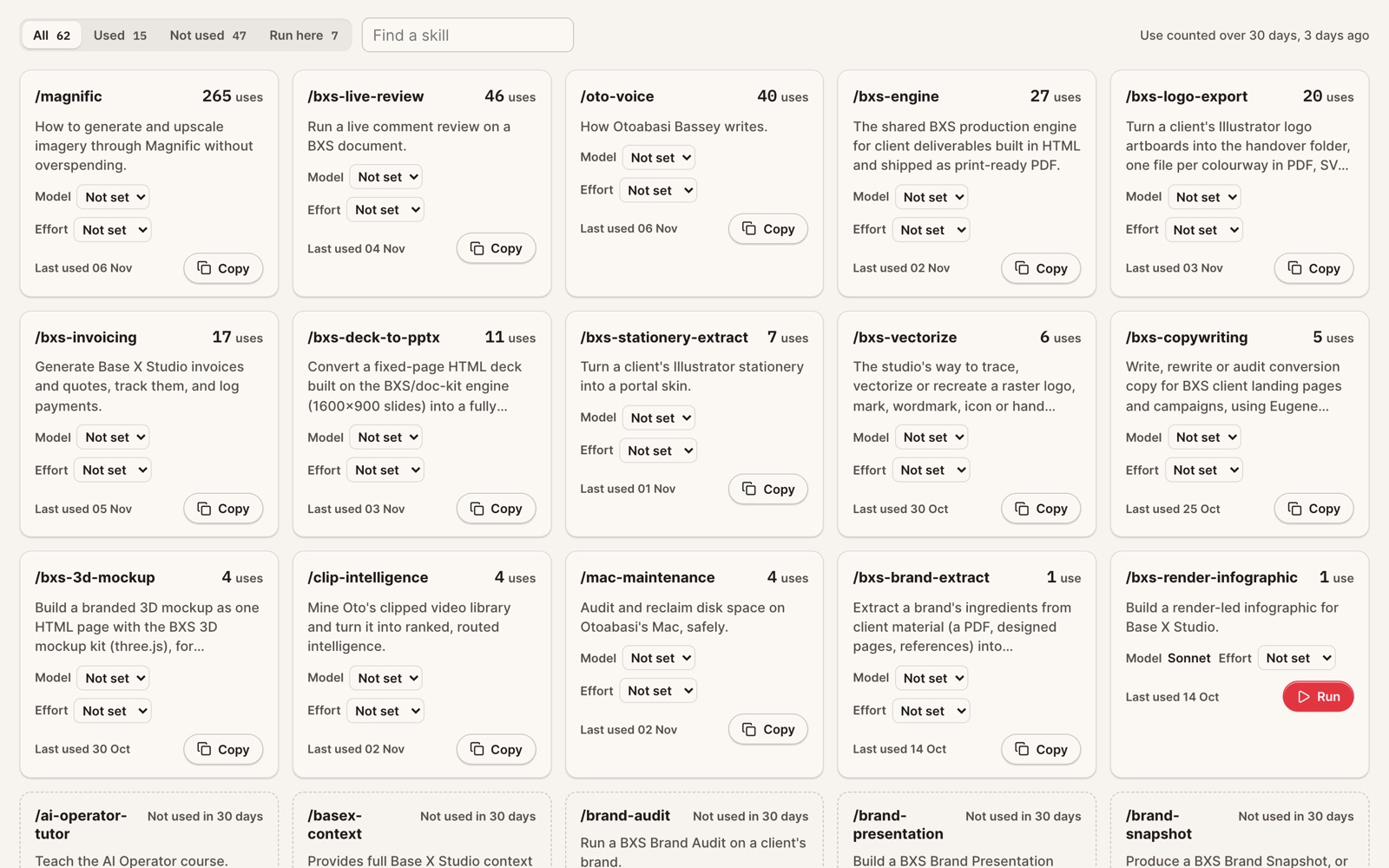
Every skill the agents can use, with how often each ran in the last 30 days and the model and effort set for it. A skill is a written method an agent follows. Some can be run straight from the list.
07
Content and Schedule
The content engine: cycles of long pieces broken into platform posts, a weekly spread, a post viewer with a carousel viewer, and a strategy section for each stream. Schedule is a calendar of layers for streams, channels and audiences that can be switched on and off.
[screen: Content and Schedule, on published posts only]
How it connects
To the other apps
Command
The phone skin of the Command Center page, served by the same server, so a fix to one lands in both.
The server starts agent runs for the chat, for buttons on its pages and for content work, and lists the live sessions in the Command Center.
The approvals queue
Agents file cards with a small command-line script. The dashboard holds the queue and runs the approved action.
Files and Posts
Agents send finished files to a shared index that the Files and Posts phone apps read, so they can be shared from the phone.
What it runs on
The plain version
One Node.js server on the Mac, kept running by the system, with no framework, no dependencies and no build step. Plain HTML, CSS and JavaScript in the browser. Data lives in an Obsidian vault as markdown and JSON files; studio records sit in a hosted Postgres database. It reaches mail, calendar, Notion and an image service through small command-line tools, and Claude through the Claude Code command line. One operator, on while the Mac is on, by design.
I'm starting a new brand called The Agentic Operator.
It's a space to share what I'm learning around AI and agentic workflows. Builds, software, design and the future of work.